isyeet

I Send You E2E Text

A deliberately small messaging service

Just text.
End to end.

A familiar inbox. Private text.
Send what you mean. Nothing attached.

Coming sooniPhone + command line
(^_^) Meet the ASCII emojis.
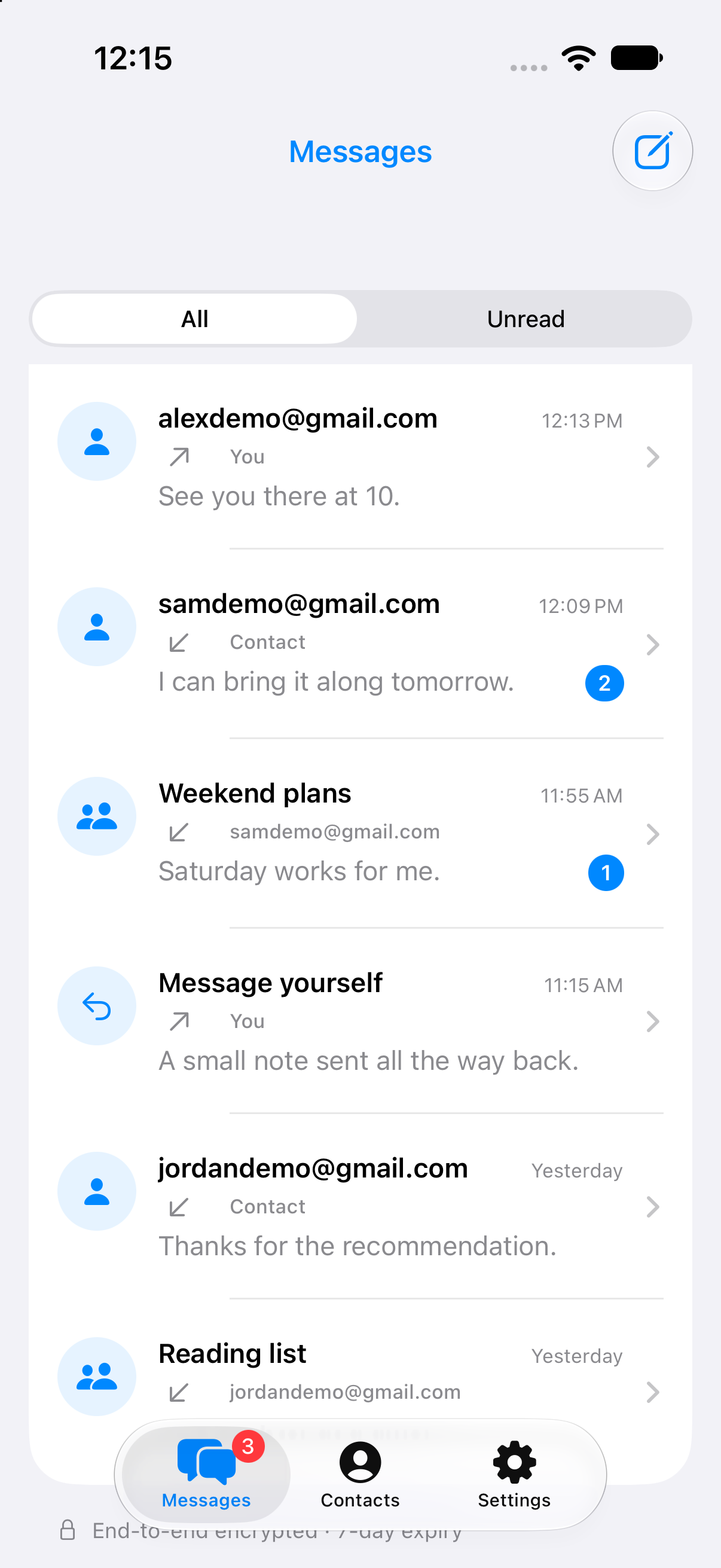
ISYEET Messages inbox with recent conversations, dates, message previews, unread counts, and separate Messages, Contacts and Settings tabs.
Your conversations, at a glance.Development preview · Fictional messages
The whole idea

95 characters.
Zero extras.

Letters, numbers, punctuation, and spaces. The 95 printable ASCII characters are the entire vocabulary.

01 / THE MESSAGE

Words stay words.

No photos. No videos. No attachments. Printable ASCII only, including faces made from punctuation. Links stay plain text.

02 / THE ENCRYPTION

For your contact.

Messages are encrypted on your device using Signal’s official libsignal. The relay delivers ciphertext; it does not hold the keys to read your text.

03 / THE BOUNDARY

Checked on arrival.

The receiving app validates decrypted bytes before displaying anything. Non-ASCII and non-printable content is rejected, with an alert.

ASCII emojis

The only emojis
that matter.

A smile. A wink. A tiny cat.
Punctuation already has personality.

  • (^_^)Happy
  • :-)Smile
  • ;-)Wink
  • (o_o)Surprised
  • :(Sad
  • <3Love
  • \o/Celebrate
  • =^.^=Cat

Pick a face in a direct chat, a self-test or a group. It adds ordinary text to your draft. Review it, then tap Send. Or type your own with any of the 95 printable ASCII characters.

Every face stays literal text, with the same end-to-end encryption as your words. No Unicode emoji, stickers or animations. All the feeling. A few characters.
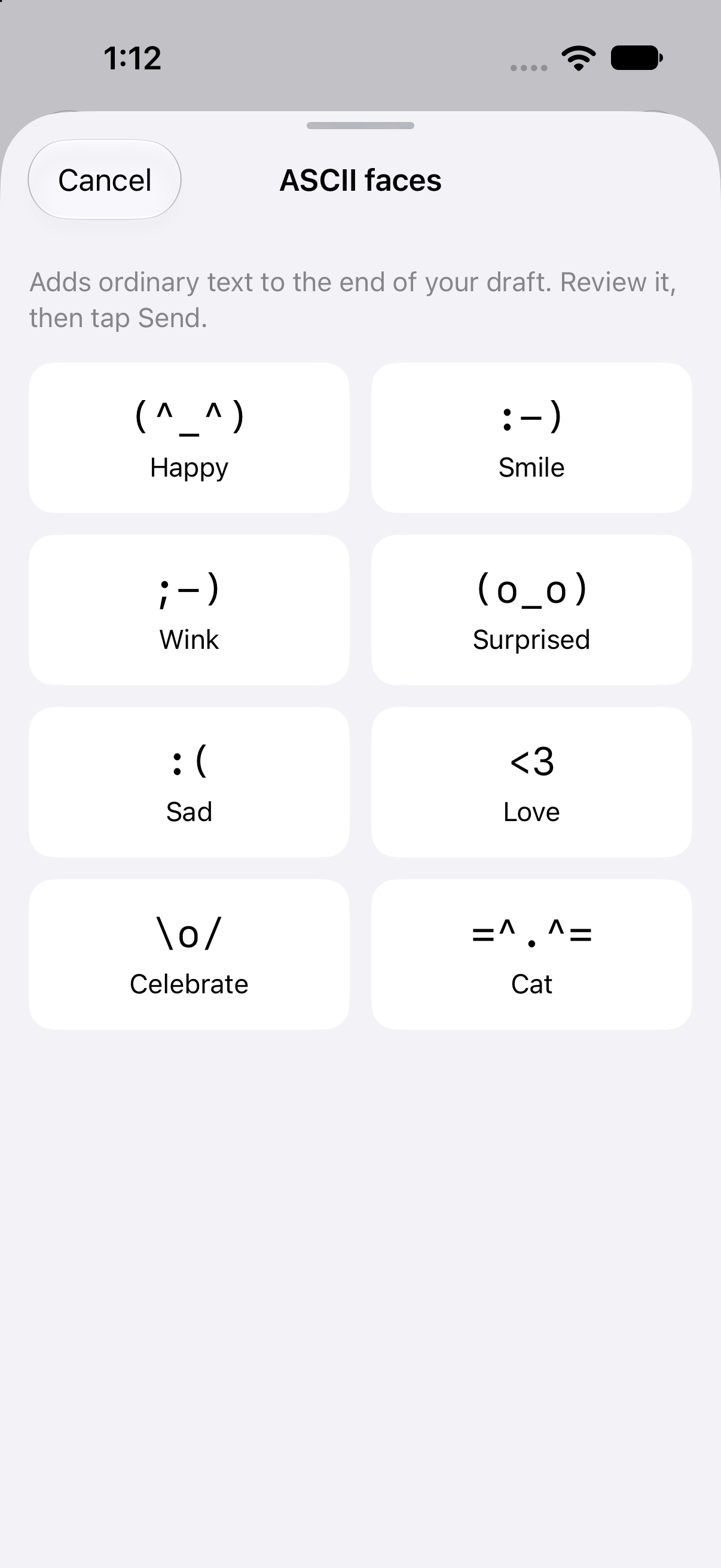
The iPhone ASCII faces picker with eight named choices: Happy, Smile, Wink, Surprised, Sad, Love, Celebrate and Cat. The sheet explains that a selection adds ordinary text to the draft for review before sending.
Eight faces. Still just text.Actual development UI · Fictional local data

Inside the iPhone app

Messages up front.
Everything in its place.

A conversation list with dates, previews and unread counts. Contact management has its own tab. These are actual development UI captures with fictional local data. Tap any preview to see it full size.
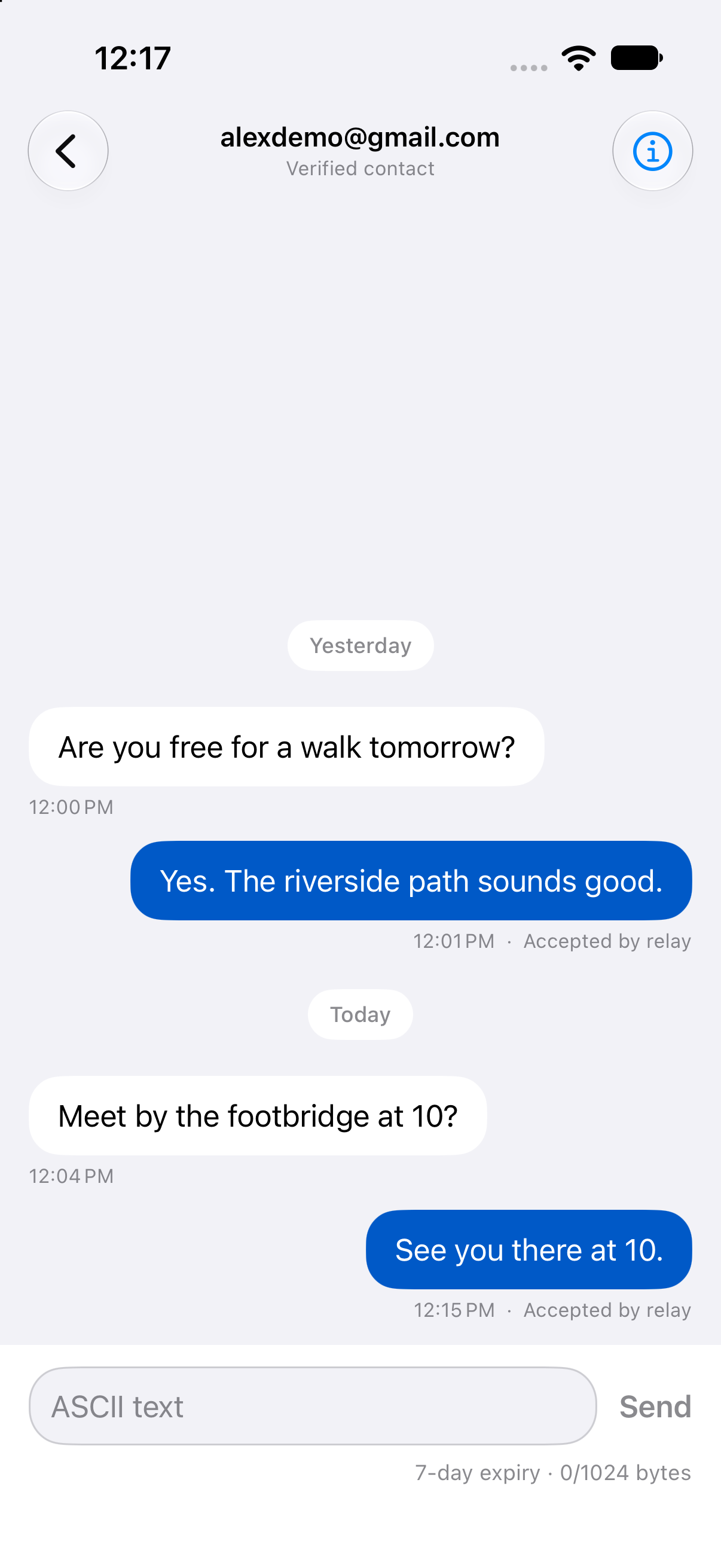
A demo conversation in the Messaging theme, with incoming and outgoing ASCII text bubbles, Today and Yesterday dividers, message times and a text-only composer.
THE CONVERSATION

Pick up where you left off.

Read your text with recorded dates and message times. Tap a message for its recorded details. Local unread indicators help you find what is new.
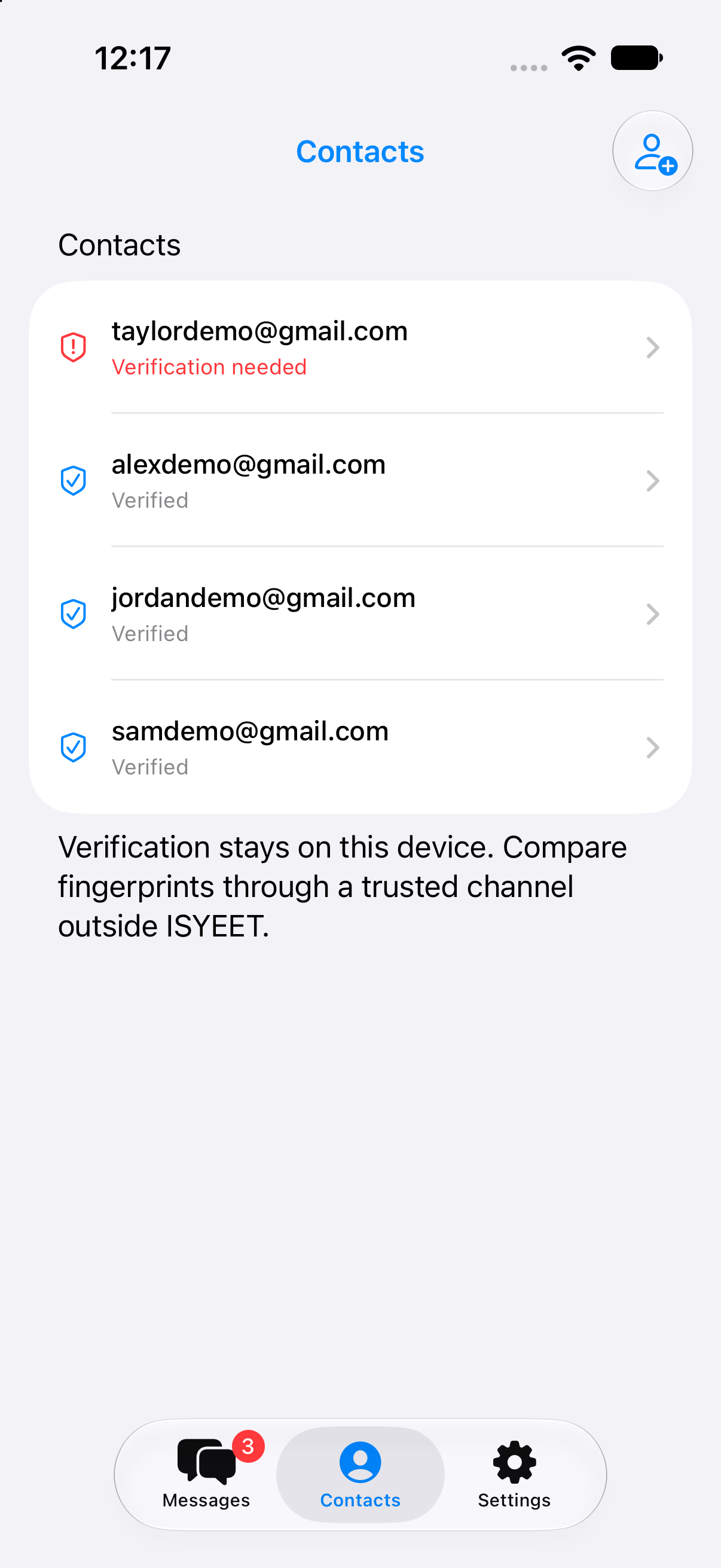
The separate Contacts tab with fictional email addresses, verified identity labels and a contact awaiting verification.
THE CONTACTS

Verification has its own place.

Add a Gmail or Google Workspace address, compare fingerprints outside ISYEET, and manage contacts separately from your conversations.
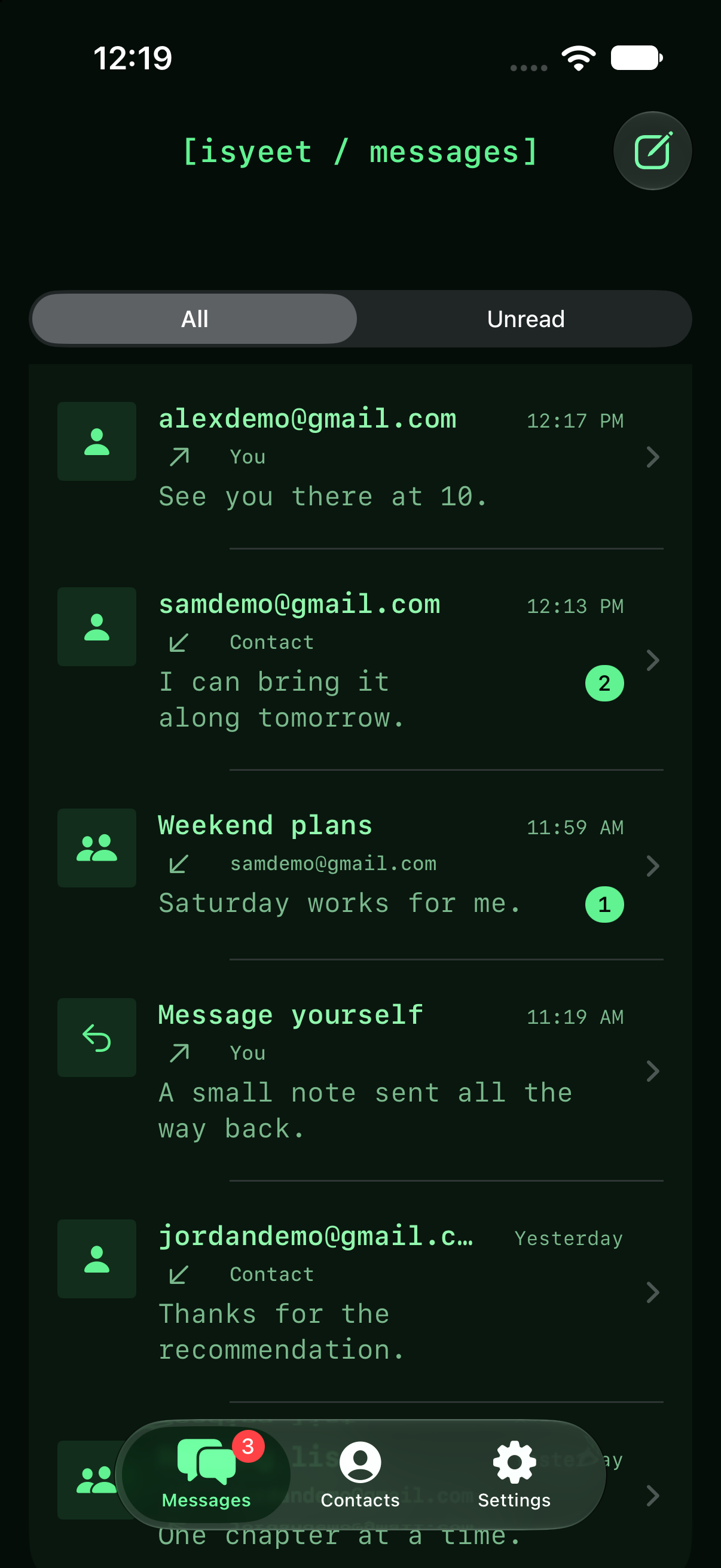
The same Messages inbox in the Terminal / IRC theme, with green monospaced text on a dark background, dates and unread counts.
THE OTHER LOOK

A little IRC. Still just text.

Choose familiar messaging bubbles or a green-on-black terminal appearance. The same messages and encryption, with no commands or rich formatting.

Small by design

A conversation.
Nothing attached.

ISYEET has one job: move encrypted text between people. That is the product, and the limit.

A familiar address.
Sign in with Google and add contacts by Gmail or Google Workspace address. Independently compare identity fingerprints through a trusted channel before messaging.
Seven-day messages.
Read or unread, text has a fixed deadline seven days after sending. Retries never restart the clock. Suspended apps clean up expired history before showing it again. Read the retention limits, including Cloudflare’s 30-day recovery history.
Direct text. Small groups.
Message one person, test delivery to yourself, or talk in a fixed group of up to eight people. Each recipient gets a separate end-to-end encrypted copy. Titles and membership stay fixed. Every member independently verifies the others.
The same size on the wire.
Messages of up to 1,024 characters share the same 8,192-byte encrypted envelope. Direct text, group copies and cover packets all use that size.
Optional cover traffic.
Choose generic “New message” notifications or quiet cover mode; only one can be on. While the app is active, cover mode offers a sending slot every 15–45 seconds: queued text first, otherwise an encrypted random nonce for an eligible contact. Both verified contacts must opt in and exchange real messages. It pauses in the background. Cover packets never appear in your inbox. Budgets and peer availability can pause them too; this reduces some traffic clues but does not prevent traffic analysis.
A smaller surface.
No media decoders, link previews, or message formatting engine. Fewer things to parse, and fewer ways for a message to pretend to be something else.
Coming soon

One job. On its way.

ISYEET is in development for iPhone and the command line. Public downloads are not available yet. Independent security review is still ahead.